Free Site Analysis Tools for Architects (2026): What Each One Gives You
You can do most of a site analysis for free. QGIS with QuickOSM gives maps and data for any area, Ladybug Tools gives climate and sun studies in Grasshopper, Shadowmap shows live shadows, Cadmapper and TopoExport export CAD context, Open-Meteo gives climate history, and UrbanEyes gives a free site preview, free map exports within 350 m and free sun, shadow, wind rose and FAR tools. What free tools rarely give you is planning rules and the time saved.
This list includes only tools with a genuinely free option, and states each one's limits as the vendor publishes them. We make UrbanEyes; we have tried to describe every tool, including ours, as plainly as we can.
Last checked: October 2026. Free tiers change; check before you plan a project around one.
Which free site analysis tools are worth using?
| Tool | What you get free | Limit of the free option | Skill needed |
|---|---|---|---|
| QGIS + QuickOSM | Any OpenStreetMap layer, any area, full GIS | None; it is open source | High |
| Ladybug Tools | Climate, sun, radiation, daylight, energy | Needs Rhino and Grasshopper | High |
| BlenderGIS | OSM buildings and SRTM terrain in Blender | Terrain API needs a free key | Medium |
| Shadowmap | Live shadows on 3D buildings worldwide | Free plan fixes the date options; paid for any date | Low |
| Google Earth Pro | Historical imagery, measurements | Download ends 25 June 2027 | Low |
| Cadmapper | DXF, SKP, 3DM context | 1 km², account needed | Low |
| TopoExport | 2D and 3D context, including DWG | 2 exports a day, 1 km², 5 m precision | Low |
| Figuregrounder | Figure-ground posters from OSM | Image output, 100 to 2,000 m radius | Low |
| Open-Meteo | Hourly climate history for any point | Free for non-commercial use; credit required | Medium |
| Archistar | 3D designer and basic property data | Australia | Low |
| Giraffe | Free start on the platform | Limits not published | Medium |
| UrbanEyes | Site preview, maps within 350 m, sun, shadow, wind rose and FAR tools | Full analysis is paid per site | Low |
What can each free tool do?
QGIS with QuickOSM
The most capable free option. QuickOSM downloads any OpenStreetMap layer (buildings, roads, land use, trees, shops) for your area; QGIS styles it, measures it and exports DXF, SVG, PDF or GeoJSON. Qgis2threejs adds 3D and glTF export. Expect a few hours to make your first good figure-ground.
Ladybug Tools
Free, open-source plugins for Grasshopper that read EnergyPlus weather files and run sun paths, wind roses, radiation, daylight (Radiance) and energy (EnergyPlus). The most rigorous free option, if you already work in Rhino.
BlenderGIS
A free Blender add-on that imports OpenStreetMap buildings, shapefiles, GeoTIFF elevation and web basemaps. Good for rendered context and terrain; it builds geometry rather than doing analysis.
Shadowmap
Shadows on real 3D buildings, terrain and trees for anywhere, free in the browser without sign-up. The free plan is for exploring; any date, satellite maps and analytics need a paid plan.
Google Earth Pro
Still the easiest way to look at historical imagery of a site. Google has announced the desktop download ends on 25 June 2027.
Cadmapper and TopoExport
The two free CAD context exporters. Cadmapper gives 1 km² free in DXF, SketchUp and Rhino formats (no DWG). TopoExport's free Basic plan gives 2 exports a day up to 1 km² at 5 m precision, with DWG among its 2D formats. Both compared in the best site map tools.
Open-Meteo
Free hourly weather history (temperature, rain, wind) for any coordinate, from ERA5 reanalysis, with a CC BY 4.0 credit. It is what we used for the 2025 climate of the Amsterdam site in the complete site analysis guide.
UrbanEyes (free parts)
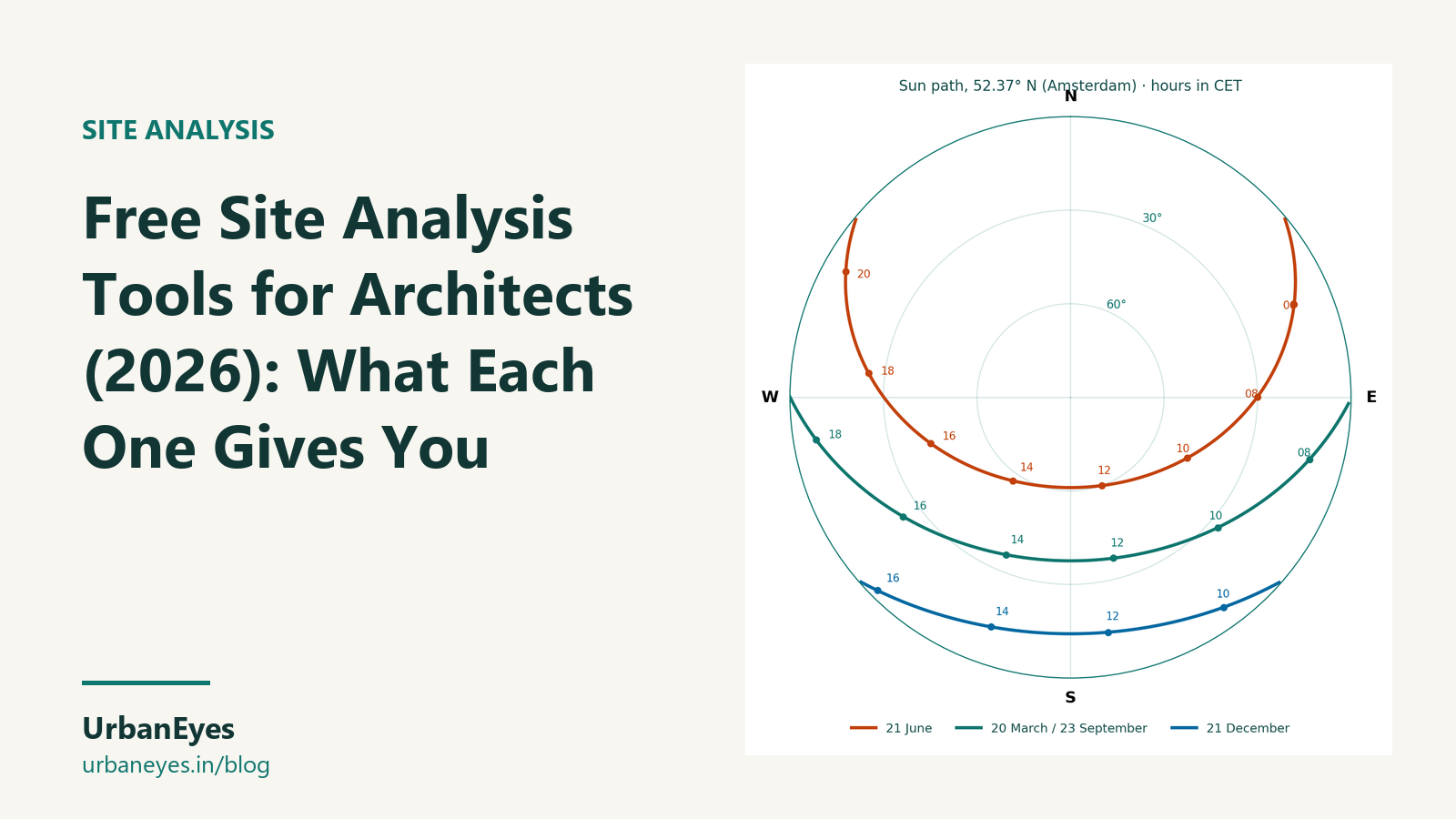
- Free site preview on the home page: surrounding buildings, ground coverage, a year of climate and solstice sun angles for any address, no account.
- Free map exports within a 350 m radius in UrbanEyes Maps, in all 14 formats including DWG, 3DM and SKP.
- Free tools, no account: sun path diagram, shadow length calculator, wind rose, FAR calculator and a scale converter.
- Paid: the full analysis with feasibility, from €7.99 per site.
What do free tools not cover?
- Planning rules. Zoning, heights, FAR and heritage controls are local. Free tools rarely include them; read the local plan.
- Accurate heights. Free building heights are often estimated from floor counts.
- Time. A free stack of QGIS, Ladybug and Open-Meteo can do a full analysis, but expect one to three days per site the first few times.
- The site visit. No tool replaces it. Use the site analysis checklist to plan it.
Which free stack should you use?
- Students on a budget: UrbanEyes' free 350 m maps and tools for the board, QGIS for anything they do not cover.
- Rhino users: Cadmapper or TopoExport for context, Ladybug Tools for climate and sun.
- Quick checks on a client call: the UrbanEyes site preview and Shadowmap.
For paid options compared side by side, read the best site analysis tools for architects.
Frequently Asked Questions
What is the best free site analysis tool?
QGIS with the QuickOSM plugin is the most capable, if you can learn it. For quick results with no learning, the UrbanEyes site preview, free 350 m map exports and free sun and wind tools are the fastest.
Is there a free AI site analysis tool?
Several tools use AI for parts of the work. UrbanEyes gives a free AI-assisted site preview of any address; Archistar's free plan includes its AI 3D designer for Australian sites. Full AI-assisted analyses are usually paid.
Can I get free climate data for site analysis?
Yes. Open-Meteo gives hourly history for any point free, and EnergyPlus weather files cover thousands of stations. Ladybug Tools and the UrbanEyes wind rose read them for you.
Is QGIS good for architects?
Yes, for maps and data. It is free and handles any dataset, but it is not built for architects, so expect to learn styling, projections and export settings.
What free tool exports site maps to DWG?
TopoExport's free plan includes DWG among its 2D formats, and UrbanEyes Maps exports a 350 m radius free in DWG. Cadmapper exports DXF, which DWG programs open.
Chavisha Arora
Co-founder, UrbanEyes
Machine learning engineer, formerly at Tesla and Expedia. Chavisha leads the data and models behind UrbanEyes site analysis.
We analyse, you design.
Run data-backed site analysis with UrbanEyes: maps, metrics, and reports in about 15 minutes.