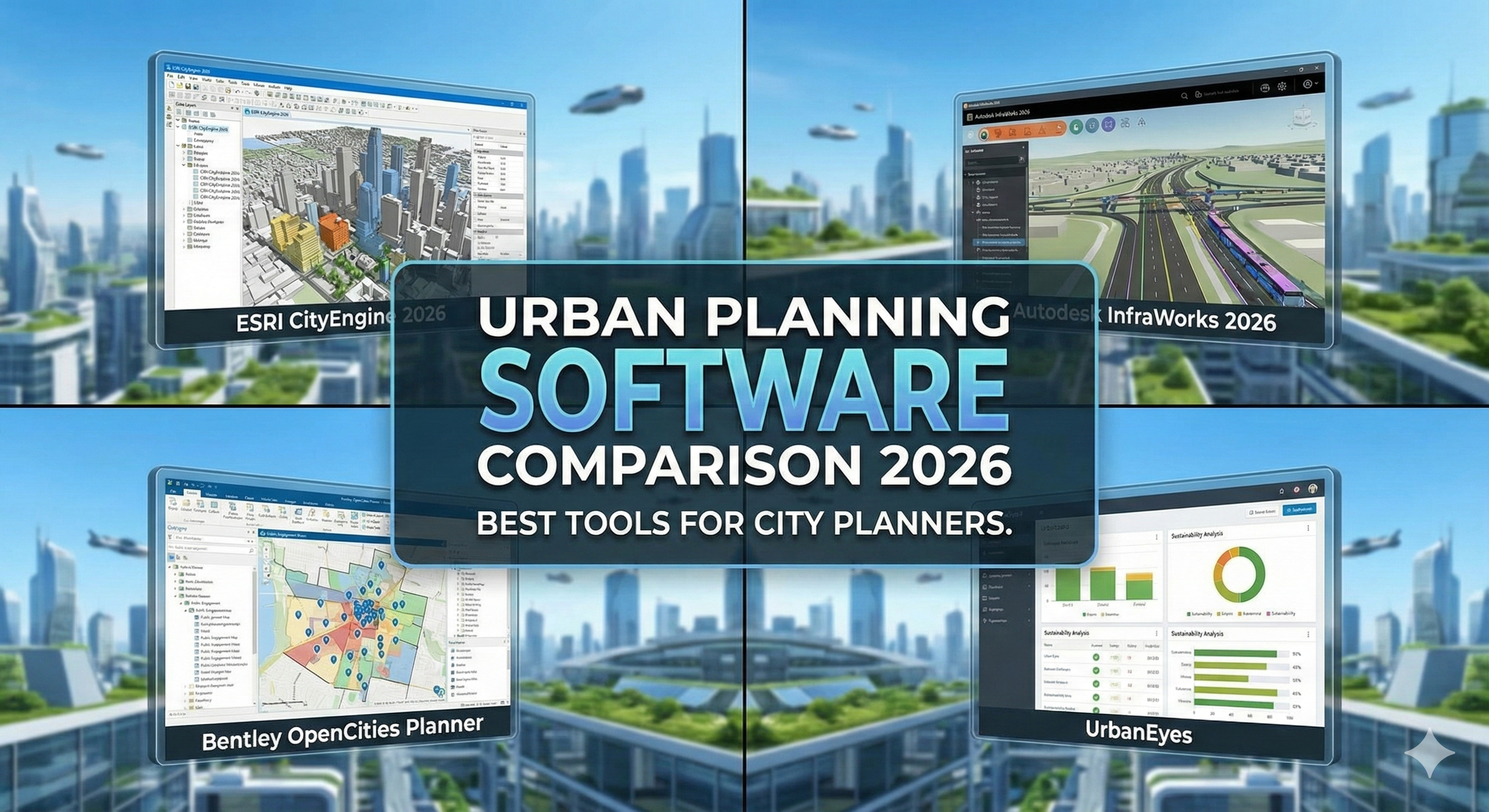
Best Urban Planning Software 2026: Complete Comparison
The Urban Planning Software Landscape in 2026
Urban planners today juggle more tools than ever. You need GIS for spatial analysis, CAD for site design, 3D modeling for visualization, collaboration platforms for public engagement, and analytics tools for data-driven decisions.
The challenge: Most planning software is either:
- Powerful but complex (ArcGIS, AutoCAD Civil 3D) - steep learning curve, expensive
- Easy but limited (Google Earth, SketchUp) - accessible but lacks analytical depth
- Specialized but fragmented (separate tools for transit, land use, demographics) - integration headaches
The 2026 trend: AI-powered platforms that consolidate multiple functions, automate data gathering, and make professional analysis accessible to planners of all skill levels.
This guide compares the top urban planning software across categories: GIS, design, visualization, collaboration, and emerging AI tools.
Quick Comparison Matrix
| Software | Category | Best For | Cost | Learning Curve | Strengths |
|---|---|---|---|---|---|
| ArcGIS Urban | GIS + 3D | Large planning departments | $3,500-$12,000/yr | Steep (3-6 months) | Comprehensive, industry standard |
| QGIS | GIS | Budget-conscious planners | Free | Steep (3-6 months) | Powerful, free, customizable |
| UrbanEyes | AI Analysis | Fast feasibility & site analysis | €4.99-€49/mo | Easy (30 min) | Speed, automation, architect-friendly |
| SketchUp | 3D Modeling | Quick massing studies | $119-$699/yr | Moderate (1-2 weeks) | Intuitive 3D, geolocation |
| AutoCAD Civil 3D | CAD/Engineering | Detailed infrastructure design | $2,545/yr | Steep (2-4 months) | Precision engineering, grading |
| Rhino + Grasshopper | Parametric Design | Complex urban forms | $995 one-time | Steep (2-6 months) | Computational design, flexibility |
| CityEngine | Procedural Modeling | Large-scale 3D cities | $2,000+/yr | Moderate (1-2 months) | Automated city generation |
| InVision | Public Engagement | Community feedback | $0-$99/mo | Easy (1 hour) | Collaboration, visual presentations |
| Remix | Transit Planning | Bus/bike network design | $10,000+/yr | Moderate (2-3 weeks) | Transit-specific, real-time modeling |
Category 1: GIS & Spatial Analysis Tools
ArcGIS Urban
What it is: Esri's 3D GIS platform specifically designed for urban planners. Combines ArcGIS Pro's analytical power with web-based 3D urban design.
Best for:
- Municipal planning departments
- Large consulting firms
- Regional/metropolitan planning organizations
Key features: ✅ 3D zoning and land use scenarios ✅ Shadow and viewshed analysis ✅ Development capacity calculations ✅ Web-based collaboration (stakeholders view/comment without software) ✅ Integration with ArcGIS ecosystem (demographics, transportation, environment) ✅ Indicator dashboards (population, jobs, housing units)
Pros:
- Most comprehensive urban planning platform
- Industry standard (agencies expect ArcGIS deliverables)
- Extensive data libraries (demographics, parcels, infrastructure)
- Strong support and training
Cons:
- Very expensive ($3,500-$12,000/year per user)
- Steep learning curve (3-6 months to proficiency)
- Requires powerful computers
- Windows-focused (Mac support limited)
- Overkill for small projects
Pricing:
- ArcGIS Urban: $3,500/year (includes ArcGIS Pro license)
- Full planning stack (Urban + extensions): $8,000-$12,000/year
- Enterprise deployment: Custom (often $50,000+/year for departments)
Bottom line: If you're a well-funded municipal planning department doing comprehensive plans, zoning updates, and scenario modeling - ArcGIS Urban is the gold standard. For small firms, consultants, or students, the cost is prohibitive.
QGIS
What it is: Free, open-source GIS software rivaling ArcGIS in capability.
Best for:
- Nonprofit planning organizations
- Small planning firms with limited budgets
- International development (no licensing costs)
- Students and educators
Key features: ✅ Full GIS analysis (buffers, overlays, network analysis) ✅ Map production and cartography ✅ Hundreds of plugins (extend functionality) ✅ Python scripting (automate workflows) ✅ Cross-platform (Windows, Mac, Linux)
Pros:
- 100% free (no licensing costs ever)
- Powerful analytical capabilities
- Active community (forums, tutorials)
- Frequent updates
- No vendor lock-in
Cons:
- Learning curve as steep as ArcGIS (3-6 months)
- Less polished interface
- Plugin compatibility issues between versions
- No official support (community-based)
- Employers prefer ArcGIS experience
Pricing: $0
Bottom line: If budget is a constraint and you have time to learn, QGIS delivers professional GIS analysis for free. It's especially popular in Europe, Latin America, and NGO sectors where ArcGIS costs are prohibitive.
UrbanEyes
What it is: AI-powered site analysis platform built for architects and urban planners. Automates data gathering and generates comprehensive analysis reports in minutes.
Best for:
- Consultants needing fast feasibility studies
- Architects doing urban projects
- Students without GIS training
- Small planning firms wanting GIS insights without GIS specialists
Key features: ✅ Automated GIS data gathering (zoning, parcels, infrastructure) ✅ Solar/shadow analysis (hourly, seasonal) ✅ 3D visualization with proposed buildings ✅ Walkability and transit accessibility analysis ✅ Cost estimation and development pro formas ✅ Export to CAD/BIM (AutoCAD, Revit, SketchUp) ✅ Zero learning curve (designed for non-GIS users)
Pros:
- 15-minute analyses (vs. hours/days with ArcGIS/QGIS)
- No GIS training required
- Extremely affordable (€4.99-€49 vs. $3,500+ for ArcGIS)
- Always-current data (cloud-based)
- Architect/planner-friendly outputs
Cons:
- Limited customization (pre-built analyses only)
- Not suitable for complex custom GIS workflows
- Requires internet connection
- Newer platform (smaller user community)
Pricing:
- Single analysis: €9.99
- Student plan: €4.99/analysis
- Professional: €49/month (unlimited analyses)
Bottom line: Perfect for planners who need GIS insights without becoming GIS specialists. Ideal for preliminary analysis, feasibility studies, and client presentations. Not a replacement for full GIS platforms on complex projects.
Category 2: Design & Modeling Tools
SketchUp
What it is: 3D modeling software known for its intuitive interface and quick modeling capabilities.
Best for:
- Quick urban massing studies
- Public workshops (easy for non-experts)
- Conceptual design visualization
- Small-scale urban design projects
Key features: ✅ Easy 3D modeling (minutes to learn basics) ✅ Geolocation (import site terrain from Google Earth) ✅ 3D Warehouse (millions of free models) ✅ Extensions (urban design tools, rendering) ✅ LayOut (create presentation boards)
Pros:
- Extremely intuitive (learn basics in 1-2 hours)
- Fast for conceptual design
- Free version available (SketchUp Free)
- Large community and resources
- Works on modest hardware
Cons:
- Limited analytical capabilities (no GIS analysis)
- Not parametric (manual modeling, no algorithmic design)
- Large models become slow
- Less precise than CAD for construction documents
Pricing:
- SketchUp Free: $0 (web-based, basic features)
- SketchUp Go: $119/year (web + iPad app)
- SketchUp Pro: $349/year (desktop + LayOut)
- SketchUp Studio: $699/year (Pro + rendering + VR)
Bottom line: The go-to tool for quick urban massing studies and public engagement (easy for citizens to understand 3D models). Not suitable for detailed engineering or GIS analysis.
AutoCAD Civil 3D
What it is: Autodesk's civil engineering and infrastructure design software.
Best for:
- Infrastructure planning (roads, utilities, grading)
- Site engineering
- Large planning firms with engineering departments
- Projects requiring precise construction documents
Key features: ✅ Terrain modeling and grading ✅ Road/intersection design ✅ Storm/sanitary sewer design ✅ Parcel layout and subdivision ✅ Quantity takeoffs (cut/fill volumes) ✅ Integration with AutoCAD and Revit
Pros:
- Industry standard for civil engineering
- Precise engineering calculations
- Seamless with AutoCAD workflows
- Powerful terrain modeling
Cons:
- Very steep learning curve (2-4 months)
- Expensive ($2,545/year)
- Overkill for conceptual planning
- Windows-only
- Requires engineering knowledge
Pricing: $2,545/year
Bottom line: Essential for infrastructure-heavy projects (subdivisions, street networks, utility design). Too complex and expensive for planners focused on policy, zoning, or conceptual design.
Rhino + Grasshopper
What it is: 3D modeling software (Rhino) with visual programming plugin (Grasshopper) enabling parametric/computational design.
Best for:
- Complex urban forms (curved buildings, organic shapes)
- Parametric urban design (algorithmic generation)
- Large-scale analysis (thousands of buildings)
- Research and academia
Key features: ✅ NURBS modeling (smooth curves and surfaces) ✅ Grasshopper (visual programming for parametric design) ✅ Plugins: Ladybug Tools (environmental analysis), Urban Network Analysis ✅ Scripting (Python, C#) ✅ Handles large/complex geometries
Pros:
- Most flexible urban design platform
- Computational design capabilities
- Large plugin ecosystem
- Cross-platform (Windows, Mac)
- One-time purchase (no subscription)
Cons:
- Steep learning curve (especially Grasshopper: 2-6 months)
- Not intuitive for non-technical users
- Requires scripting/programming mindset
- Plugin management can be frustrating
Pricing: $995 one-time (educational: $195)
Bottom line: For advanced users doing parametric urban design or large-scale analysis. Too complex for quick studies or public presentations. Essential for computational urban planning research.
Category 3: Visualization & Communication
CityEngine
What it is: Esri's procedural 3D city modeling software. Uses rule-based algorithms to automatically generate entire cities.
Best for:
- Large-scale 3D city models (entire neighborhoods/cities)
- Scenario visualization (multiple zoning/design alternatives)
- Gaming/VR/AR urban environments
- Film/media production
Key features: ✅ Procedural modeling (algorithms generate buildings automatically) ✅ CGA shape grammar (define building rules) ✅ Integration with ArcGIS (use GIS data as inputs) ✅ WebScene publishing (share 3D models online) ✅ Export to game engines (Unity, Unreal)
Pros:
- Generate entire cities in hours (not months)
- Consistent architectural style via rules
- Handles massive models (100,000+ buildings)
- Great for scenario comparison
Cons:
- Expensive ($2,000+/year)
- Learning curve for rule writing (1-2 months)
- Less control than manual modeling
- Procedural = less unique/realistic buildings
Pricing: $2,000+/year (varies by license type)
Bottom line: For large-scale 3D visualization (regional planning, citywide zoning studies). Overkill for individual site projects. Excellent for showing density/height scenarios quickly.
Enscape / Lumion
What it is: Real-time rendering engines that create photorealistic visualizations from 3D models.
Best for:
- Client presentations (immersive renderings)
- Public engagement (realistic "what it will look like")
- Design review
Key features: ✅ Real-time rendering (see changes instantly) ✅ VR support (walk through designs) ✅ Photorealistic materials and lighting ✅ Easy to use (drag-and-drop assets) ✅ Plugins for SketchUp, Rhino, Revit
Pros:
- Photorealism without rendering expertise
- Fast workflow (minutes to beautiful images)
- Client-friendly presentations
- VR adds immersive experience
Cons:
- Expensive (Lumion: $1,750-$5,900; Enscape: $699/year)
- Requires powerful graphics cards
- Not analytical (purely visualization)
Pricing:
- Enscape: $699/year
- Lumion: $1,750-$5,900 (one-time or subscription)
Bottom line: For high-quality visualization that sells projects. Essential for public engagement and design approval. Not for analysis.
Category 4: Collaboration & Engagement
Mural / Miro
What it is: Digital whiteboards for collaborative planning workshops.
Best for:
- Remote public meetings
- Workshop facilitation
- Idea generation and mapping
- Stakeholder engagement
Key features: ✅ Infinite canvas (spatial organization of ideas) ✅ Real-time collaboration (100+ participants) ✅ Templates (SWOT, journey maps, mind maps) ✅ Voting and feedback tools ✅ Integration with Zoom, Teams
Pros:
- Easy for non-technical participants
- Engaging and interactive
- Saves all workshop outputs automatically
- Remote-friendly
Cons:
- Not GIS or design software (ideas only)
- Can be chaotic with large groups
- Requires internet
Pricing:
- Miro: Free-$16/user/month
- Mural: $12-$17.99/user/month
Bottom line: Essential for remote/hybrid public engagement. Complements (doesn't replace) GIS and design tools.
Social Pinpoint / Commonplace
What it is: Community engagement platforms for online public feedback on planning projects.
Best for:
- Public comment collection
- Map-based feedback ("I support this, I'm concerned about that")
- Virtual town halls
- Surveys and polls
Key features: ✅ Map-based commenting (pin comments to locations) ✅ Surveys and questionnaires ✅ Idea boards ✅ Analytics dashboard (sentiment analysis, heatmaps) ✅ Multi-language support
Pros:
- Reaches wider audience than in-person meetings
- Captures geographic feedback (where issues occur)
- Reduces bias toward vocal attendees
- Data export for analysis
Cons:
- Expensive (often $5,000-$20,000/project)
- Digital divide (excludes non-tech-savvy residents)
- Can attract organized opposition campaigns
Pricing: Custom (typically $5,000-$20,000 per engagement project)
Bottom line: For municipalities doing comprehensive plans, major zoning changes, or controversial projects. Essential for meeting modern public engagement expectations.
Category 5: Specialized Tools
Remix (Now Remix by Via)
What it is: Transit and multimodal network planning software.
Best for:
- Transit agencies
- Transportation planners
- Bike/pedestrian network design
Key features: ✅ Drag-and-drop route design ✅ Real-time ridership modeling ✅ Budget and operations cost estimation ✅ Before/after scenario comparison ✅ Equity analysis (who benefits)
Pricing: $10,000+/year (varies by agency size)
UrbanFootprint
What it is: Urban planning analytics platform focused on scenario planning and sustainability.
Best for:
- Regional planning (MPOs, councils of governments)
- Climate action planning
- Scenario modeling (land use + transportation + emissions)
Key features: ✅ Scenario comparison (growth alternatives) ✅ VMT and emissions calculations ✅ Fiscal impact analysis ✅ Equity metrics ✅ Web-based (no installation)
Pricing: Custom (typically $15,000-$50,000/year for agencies)
UrbanSim
What it is: Open-source urban simulation model predicting how cities grow over decades.
Best for:
- Academic research
- Long-range regional planning
- Policy scenario testing
Key features: ✅ Simulates real estate markets, demographics, transportation ✅ Predict development patterns 20-50 years out ✅ Open-source and customizable ✅ Python-based
Pricing: Free (open-source)
Note: Extremely complex - requires urban economics and programming expertise.
The Modern Urban Planner's Toolkit (2026)
Most planners use a combination:
Tier 1: Core Tools (Daily Use)
- GIS: ArcGIS (large firms) or QGIS (small firms/NGOs)
- Quick analysis: UrbanEyes (feasibility, solar, site analysis)
- 3D sketching: SketchUp
- Collaboration: Miro/Mural, email, SharePoint
Tier 2: Specialist Tools (Project-Specific)
- Engineering: AutoCAD Civil 3D
- Rendering: Enscape or Lumion
- Transit: Remix
- Public engagement: Social Pinpoint
Tier 3: Advanced/Optional
- Parametric design: Rhino + Grasshopper
- Large-scale 3D: CityEngine
- Simulation: UrbanSim
Emerging trend: Smaller firms are replacing Tier 1 (ArcGIS) with AI platforms (UrbanEyes) that provide 80% of functionality at 5% of cost - then outsourcing complex GIS to consultants for the rare projects that need it.
Recommendations by User Type
Students
Budget: €0-€500/year
Recommended stack:
- QGIS (free GIS)
- SketchUp Free (free 3D)
- UrbanEyes (€4.99/analysis for professional results)
Total cost: €50-€100/year
Small Planning Consultancy (1-5 people)
Budget: €1,000-€5,000/year
Recommended stack:
- UrbanEyes (€49/month = €588/year) - primary analysis
- SketchUp Pro (€349/year) - 3D visualization
- QGIS (free) - for custom GIS when needed
- Miro (€16/user/month = €192/year) - client collaboration
Total cost: €1,130/year
Alternative (if GIS expertise exists): Replace UrbanEyes with ArcGIS (€3,500/year) for maximum capability, but requires staff with GIS training.
Municipal Planning Department (5-20 planners)
Budget: €20,000-€100,000/year
Recommended stack:
- ArcGIS Urban (3-5 licenses: €15,000-€40,000/year)
- CityEngine (2 licenses: €4,000/year) - for 3D visualization
- Social Pinpoint (€10,000/year) - public engagement
- Miro/Mural (10 users: €1,600/year) - internal collaboration
Total cost: €30,000-€55,000/year
Regional Planning Organization / MPO
Budget: €50,000-€200,000/year
Recommended stack:
- ArcGIS Enterprise (€40,000-€100,000/year) - full GIS platform
- UrbanFootprint (€25,000-€50,000/year) - scenario modeling
- Remix (€15,000/year) - transit planning
- CityEngine (€4,000/year) - regional visualization
Total cost: €84,000-€169,000/year
Future Trends in Urban Planning Software
1. AI Automation
What's happening: Platforms like UrbanEyes use AI to automate data gathering, analysis, and report generation - reducing 40-hour workflows to 15 minutes.
Impact: Planners spend less time on data wrangling, more time on design and stakeholder engagement.
2. Real-Time Collaboration
Cloud-based tools (ArcGIS Online, Miro, Figma) enable simultaneous editing by distributed teams - crucial for hybrid work.
3. Integration
The walls between GIS, CAD, BIM, and rendering are dissolving. Expect more seamless data flow between tools (e.g., Rhino → ArcGIS → Enscape).
4. Democratization
Professional tools becoming affordable/accessible:
- UrbanEyes: Professional site analysis for €5
- SketchUp Free: Basic 3D for anyone
- QGIS: Enterprise GIS for free
Result: Smaller firms compete with big firms. Students produce professional work.
5. AR/VR Mainstreaming
Virtual reality site walkthroughs and augmented reality "see the future building" apps becoming standard for public engagement by 2027.
Conclusion: Choose Tools That Match Your Practice
There's no universal "best" urban planning software - it depends on project type, budget, technical expertise, and workflow.
Start with the basics: GIS (QGIS or ArcGIS) + 3D (SketchUp) + collaboration (Miro). Add specialized tools as projects demand.
For most planners in 2026: Hybrid approach works best:
- AI platforms (UrbanEyes) for fast analysis
- Traditional GIS (QGIS/ArcGIS) for complex custom work
- Rendering tools (Enscape) for presentations
- Engagement platforms (Social Pinpoint) for public input
The future belongs to generalists who can leverage multiple tools rather than specialists in single platforms.
Ready to modernize your planning toolkit?
Professional site analysis in 15 minutes. No GIS training required. Perfect complement to your existing planning software.
Related Articles:
- What is Site Analysis in Architecture?
- GIS Analysis for Architects: Beginner's Guide
- ArcGIS vs QGIS vs UrbanEyes Comparison
- How to Perform Environmental Site Analysis
Frequently Asked Questions
What is the best urban planning software in 2026?
It depends on the job. Esri ArcGIS dominates enterprise municipal GIS. QGIS is the strongest free open-source GIS. UrbanEyes is strongest for fast architecture- and design-oriented site intelligence with maps, metrics, and environmental context.
What software do city planners use most?
Many planning departments standardize on ArcGIS for enterprise data. Consultancies and academia often mix QGIS, CAD/BIM, and specialized transport or environmental tools. Design teams increasingly add UrbanEyes for rapid site packs.
Is UrbanEyes urban planning software or a site analysis tool?
UrbanEyes is an urban intelligence / site intelligence platform. Planners use it for site and context evidence; it does not replace full municipal GIS administration.
Is there free urban planning software?
QGIS is free and powerful for GIS. UrbanEyes offers a free tier for early site analysis. ArcGIS has limited free/trial options depending on license type.
How do I choose between ArcGIS, QGIS, and UrbanEyes?
Choose ArcGIS for enterprise governance and city datasets, QGIS for custom open GIS workflows, and UrbanEyes when you need a boundary-to-report site intelligence pack in minutes for design or feasibility.
Can one tool do all urban planning work?
No serious practice relies on one tool. Use UrbanEyes for speed at the front of projects, then deepen with GIS, transport models, or consultants where required.
We analyse, you design.
Run data-backed site analysis with UrbanEyes: maps, metrics, and reports in about 15 minutes.