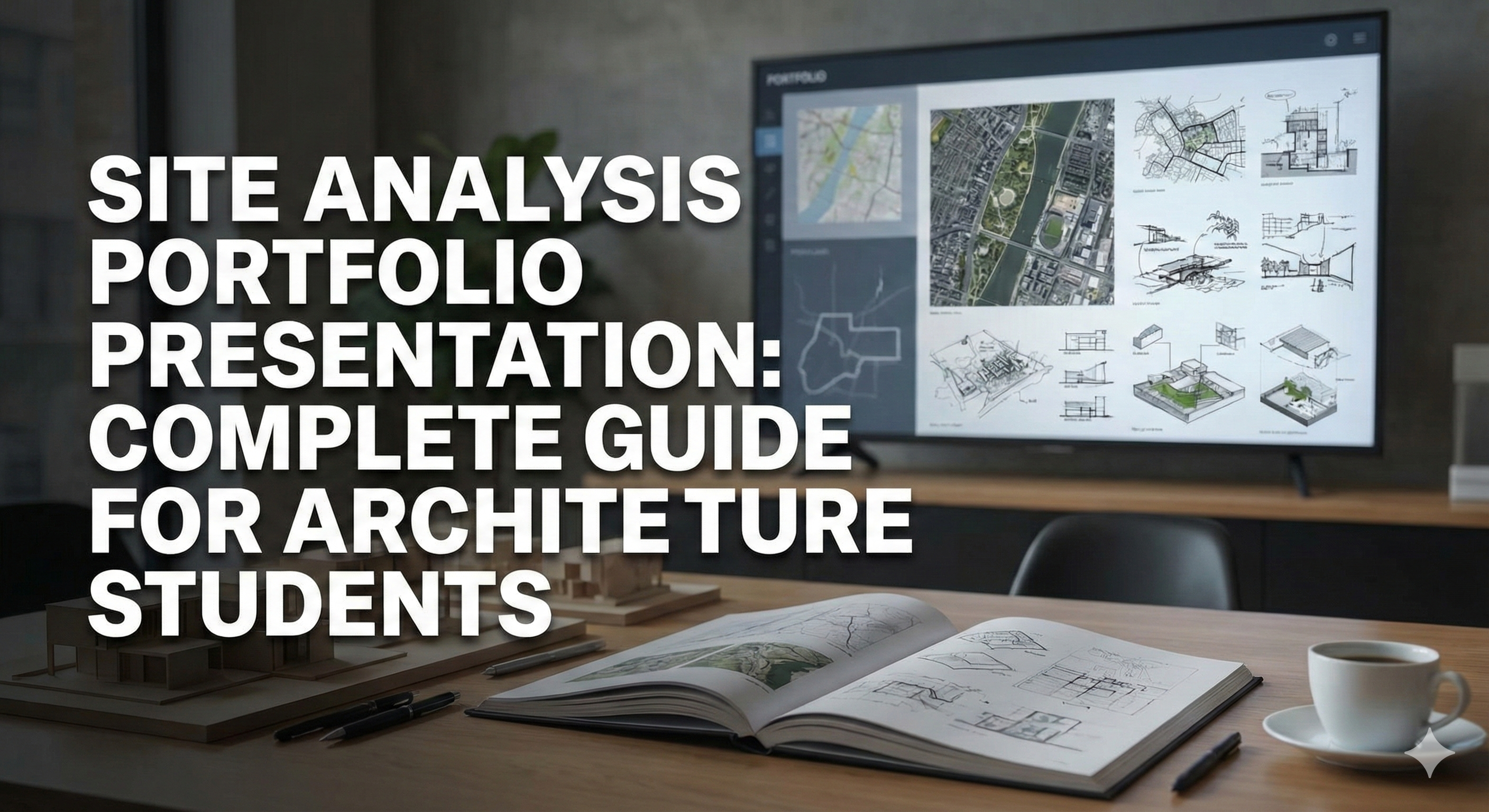
Site Analysis Portfolio Presentation: Complete Guide for Architecture Students
Why Site Analysis Matters in Portfolios
Site analysis showcases three critical skills:
- Research ability: Can you gather and synthesize complex information?
- Analytical thinking: Can you identify patterns and opportunities?
- Visual communication: Can you translate data into clear, compelling graphics?
Hiring managers and admissions committees look for:
- Clarity (complex information made simple)
- Rigor (thorough analysis, not superficial)
- Creativity (unique insights, beautiful diagrams)
- Process (how you think, not just final design)
Site analysis is often the first section of a project - it sets the tone for your entire design narrative.
Portfolio Site Analysis: What to Include
Essential Components
1. Location and Context
- Where is the site? (maps at multiple scales: city → neighborhood → site)
- Why is this site significant?
- What are its opportunities and constraints?
2. Physical Characteristics
- Topography (contours, slopes)
- Climate (sun path, wind, temperature)
- Views and sight lines
- Existing vegetation, water features
3. Regulatory Framework
- Zoning (allowed uses, height limits, setbacks)
- Historic preservation requirements
- Environmental restrictions
4. Social and Cultural Context
- Neighborhood character
- Demographics
- Community needs and values
5. Synthesis
- Diagram showing optimal building location
- Design principles derived from analysis
- Key opportunities/constraints summary
Presentation Strategies
Layout Principles
Option 1: Single Comprehensive Board
- One 24"×36" or A1 board
- All site analysis on one page
- Pros: See everything at once, good for exhibitions
- Cons: Can feel crowded, hard to show detail
Best for: Final presentations, competitions
Option 2: Multi-Page Sequence
- 3-6 pages in portfolio
- Each topic (solar, topography, context) gets its own page/spread
- Pros: Space to show detail, easier to follow narrative
- Cons: Readers must flip pages to see relationships
Best for: Printed portfolios, digital PDFs
Option 3: Layered Digital Presentation
- Interactive (web portfolio, presentation software)
- Layers can be toggled on/off
- Animations show time-based changes (shadow studies, seasonal variations)
- Pros: Engaging, shows process, space-efficient
- Cons: Requires digital viewing, not printable
Best for: Websites, video portfolios, digital presentations
Graphic Hierarchy
Not all information is equally important. Use visual weight to guide the viewer:
Primary (largest, highest contrast):
- Site boundary
- Key findings (optimal building zone)
- Title/labels
Secondary (medium):
- Analysis diagrams (sun path, topography, views)
- Context buildings
- Annotations
Tertiary (smallest, low contrast):
- Legends, scales, north arrows
- Supporting data
Technique:
- Bold lines (2-3pt): Site boundary, important features
- Medium lines (1pt): Diagram elements
- Thin lines (0.5pt): Background context
Color:
- Accent color (1-2 colors): Highlight key findings
- Neutral base (black, gray, white): Context and background
- Sequential gradients: Show quantitative data (dark = more, light = less)
Diagram Composition
Grid-based layout: Use an underlying grid (e.g., 6-column grid) to align elements:
- Diagrams align to grid
- Text aligns to grid
- White space follows grid
Benefits: Clean, organized, professional
Visual rhythm:
- Repetition: Use same base map for all diagrams (reinforces consistency)
- Alignment: Diagrams at same size create rhythm
- Contrast: Vary between dense (detailed diagrams) and sparse (text, white space)
Figure-ground:
- Figure (foreground): Site and immediate context (dark, high contrast)
- Ground (background): Distant context (light, low contrast)
Focal point: Every spread should have one dominant element:
- Large diagram (synthesis map)
- Striking photograph
- Bold title
Supporting elements should be secondary in visual weight.
Diagram Types for Portfolios
1. Context Maps (3 Scales)
Regional map (1:50,000-1:100,000)
- Shows site within city/region
- Highlights major landmarks (downtown, airport, university)
- Simple, minimal detail
Neighborhood map (1:5,000-1:10,000)
- 1/4-1/2 mile radius around site
- Shows streets, blocks, nearby buildings
- Identifies nearby amenities (parks, transit, shops)
Site map (1:500-1:2,000)
- Site and immediate neighbors
- Shows building footprints, trees, topography
- High detail
Layout:
- Sequence: Large region → zoom to neighborhood → zoom to site
- Inset: Small regional map as inset on site map
2. Figure-Ground Diagram
Black buildings, white open space:
- Shows urban density
- Reveals block patterns
- Highlights site (accent color)
Technique:
- Buildings: Solid black (or dark gray)
- Streets/open space: White
- Site: Bright color (orange, red, teal)
Variation: Nolli map
- Public interior spaces (lobbies, arcades) treated as open space (white)
- Shows public-private gradient
3. Sun and Shadow Studies
Sun path diagram:
- Arcs showing sun position at solstices and equinoxes
- Hourly markers (8am, 12pm, 4pm)
- Site shown in plan
Shadow progression:
- 4-6 diagrams: 9am, 12pm, 3pm, 6pm (summer and winter solstices)
- Shadows shown in gray or blue
- Time/date labeled
Solar access map (heatmap):
- Color gradient: Red/yellow = high solar exposure, blue = shade
- Shows where to place south-facing windows, outdoor spaces, solar panels
Presentation tip: Use motion blur or transparency to show shadow movement over time (looks dynamic)
4. Topography and Grading
Contour lines:
- Every 1m or 2m (depending on slope)
- Index contours (every 5th) thicker and labeled
- Color gradient: Low elevation = dark, high = light (or reverse)
Slope analysis:
- Color zones: Green (flat), yellow (moderate), red (steep)
- Shows buildable vs. challenging areas
3D view:
- Axonometric or perspective showing terrain in 3D
- Easier to understand than contours for non-architects
Section:
- Cut through site showing elevation change
- Label high/low points, slopes
5. Views and Sight Lines
View cones:
- Wedge shapes radiating from site
- Green = desirable views (mountains, water)
- Red = undesirable views (parking lot, highway)
- Yellow = partial views (filter with landscaping)
Photo locations:
- Number points on plan (1, 2, 3...)
- Corresponding photos labeled with same numbers
- Shows what views actually look like
Skyline study:
- Photo of surrounding buildings from street
- Overlay showing proposed building height
- Shows how new building fits into skyline
6. Zoning and Buildable Area
Setback diagram:
- Property line (dashed)
- Setbacks shaded (cross-hatched or red)
- Buildable area (green or unshaded)
- Dimensions labeled (15' front, 5' side, etc.)
Height envelope:
- 3D diagram showing maximum allowed building volume
- Shows zoning's spatial limits
- Can overlay proposed design to show compliance
FAR diagram:
- Bar chart or stacked diagrams showing:
- Total lot area
- Maximum building area (FAR × lot area)
- Proposed building area
7. Synthesis/Opportunity Diagram
The most important diagram - brings all findings together.
Shows:
- Optimal building location (where opportunities overlap)
- Key constraints (setbacks, steep slopes, protected trees)
- Design moves (building orientation, entry location, outdoor spaces)
Techniques:
- Overlay transparency: Stack multiple colored layers (sun + views + buildable zone)
- Heat map: Red = ideal, blue = poor (combines multiple factors)
- Annotated plan: Simple site plan with labels explaining key design decisions
Example:
Optimal building zone (highlighted in orange):
✅ South-facing (passive solar)
✅ Flat terrain (easy to build)
✅ Outside setbacks
✅ Views to park
✅ Near utilities

Constrained zone (gray):
❌ Steep slope
❌ Protected trees
❌ Drainage easement
Typography and Text
Titles:
- Large (24-36pt): Project title
- Medium (18-24pt): Section headers ("Site Analysis", "Solar Study")
- Small (12-14pt): Diagram titles ("Sun Path - Summer Solstice")
Body text:
- 10-12pt: Readable, not too small
- Sans-serif fonts: Clean, modern (Helvetica, Arial, Futura)
- Line length: Max 60-80 characters per line (more = hard to read)
- Line spacing: 1.2-1.5× font size (improve readability)
Labels:
- 8-10pt: Diagram annotations, scales, legends
- ALL CAPS: Use sparingly (titles only, not body text)
Font pairing:
- Option 1 (safe): One font family, vary weights (Helvetica Light for body, Helvetica Bold for titles)
- Option 2 (advanced): Sans-serif for titles + serif for body (Helvetica + Garamond)
- Avoid: More than 2-3 fonts (looks chaotic)
Color Palettes for Site Analysis
Monochrome (Black/Gray/White)
- Pros: Professional, timeless, prints well
- Cons: Can feel bland, hard to distinguish categories
- Best for: Traditional portfolios, formal presentations
Accent color (Gray + 1 bright color)
- Pros: Clean, highlights key info, modern
- Example: Gray context + orange site boundary + teal optimal zone
- Best for: Most portfolios (versatile, professional)
Sequential gradient (Yellow → Red or Blue → Green)
- Pros: Great for quantitative data (solar radiation, slope, density)
- Cons: Can look overly scientific
- Best for: Environmental analysis, data visualization
Categorical (3-5 distinct colors)
- Pros: Clearly distinguishes land use, zoning categories
- Example: Yellow=residential, red=commercial, green=park
- Best for: Land use maps, program diagrams
Avoid:
- Rainbow gradients (looks arbitrary)
- Neon colors (hard on eyes)
- Low-contrast combinations (light yellow on white)
Common Portfolio Mistakes
1. Too Much Information
Mistake: 20 diagrams crammed onto one page.
Result: Visual overwhelm. Reader doesn't know where to look.
Fix: Limit to 4-6 diagrams per page/spread. Prioritize the most important findings.
2. Inconsistent Base Maps
Mistake: Solar diagram shows site as rectangle; zoning diagram shows trapezoid (traced from different sources).
Result: Confusing. Diagrams don't align.
Fix: Use same base map for all diagrams. Copy, don't retrace.
3. No Visual Hierarchy
Mistake: Every element (title, diagrams, text) is the same size/weight.
Result: Flat, boring, hard to navigate.
Fix: Vary sizes. One dominant element, supporting elements smaller.
4. Ugly or Generic Graphics
Mistake: Default AutoCAD lineweights, random colors, no design refinement.
Result: Looks like a technical drawing, not portfolio-quality.
Fix: Polish in Illustrator/InDesign. Adjust line weights, colors, spacing. Treat diagrams as designed graphics, not just data.
5. Analysis Divorced from Design
Mistake: Beautiful site analysis... but proposed design ignores all findings.
Result: Analysis feels like a formality, not genuine process.
Fix: Show explicit connections: "Because site slopes south (Analysis), living spaces face south (Design)."
Portfolio Case Study: Award-Winning Site Analysis
Project: Graduate thesis, residential project Student: Sarah Chen, UC Berkeley Awards: School design award, featured in Archinect
Presentation Strategy:
Format: Digital portfolio (PDF), 11"×17" landscape spreads
Page 1-2: Context
- Left page: Three maps (region, neighborhood, site) showing zoom sequence
- Right page: Figure-ground diagram + 6 context photos (street character, adjacent buildings)
- Impact: Establishes location and urban context clearly
Page 3-4: Physical Analysis
- Left page: Topography (contour map + section showing 15-foot slope)
- Right page: Solar analysis (sun path + 4 shadow studies: 9am, 12pm, 3pm, 6pm in December)
- Impact: Shows site's physical challenges and opportunities
Page 5-6: Regulatory and Social
- Left page: Zoning diagram (setbacks, buildable area, height envelope in 3D)
- Right page: Community context (demographic charts, photos of neighborhood gathering spaces, resident interviews)
- Impact: Balances technical (zoning) with human (community needs)
Page 7-8: Synthesis
- Full spread: Large synthesis diagram showing optimal building location
- Annotations: "South-facing slope = passive solar," "Near bus stop = walkable," "Within setbacks," "Preserves oak tree"
- Small diagrams around edges show how each analysis informed design
- Impact: Clear "aha!" moment - design is logical response to analysis
Graphic Approach:
Color palette:
- Gray (context buildings, topography)
- Teal (site boundary, optimal zones)
- Orange (constraints, shadows)
- White background
Typography:
- Helvetica Neue (all text)
- Titles: 24pt Bold
- Body: 10pt Regular
- Labels: 8pt Light
Layout grid:
- 6-column grid
- Diagrams snap to grid
- Consistent margins (0.5" all sides)
Results:
- Selected for school's annual exhibition
- Received thesis design award
- Led to job offers from 3 firms (impressed by clarity of thinking)
Faculty comment: "This site analysis doesn't just show research - it tells a story. Every diagram builds toward the design solution."
Tools for Portfolio-Quality Diagrams
Vector graphics (essential for print quality):
Adobe Illustrator ($22.99/month)
- Industry standard
- Precise control over line weights, colors
- Scalable (diagrams stay sharp at any size)
Rhino + Grasshopper ($995 one-time)
- 3D modeling + parametric diagrams
- Data-driven graphics
Free alternatives:
- Inkscape (free Illustrator alternative)
- QGIS (free GIS, generates maps/diagrams)
Layout and composition:
Adobe InDesign ($22.99/month)
- Multi-page layout
- Typography control
- Master pages (consistent formatting)
Free alternatives:
- Scribus (free InDesign alternative)
- Canva (online, easy, limited precision)
AI-assisted:
UrbanEyes (€4.99-€49/month)
- Auto-generates professional site analysis diagrams
- Exports to PDF, PNG, DWG
- Edit in Illustrator/InDesign for final polish
- Saves 8-12 hours per site analysis
Timeline for Portfolio Site Analysis
Professional quality site analysis (manual):
Week 1: Research and data collection
- 4 hours: Site visit, photos, measurements
- 6 hours: GIS data, zoning codes, historical research
Week 2: Diagram production
- 12 hours: Creating diagrams in Illustrator (context, solar, topography, zoning)
- 4 hours: Synthesis diagram
Week 3: Layout and refinement
- 6 hours: InDesign layout, typography
- 4 hours: Revisions, polish
Total: ~36 hours
With AI tools (UrbanEyes + manual refinement):
Day 1-2: Automated analysis
- 2 hours: Generate diagrams in UrbanEyes
- 3 hours: Export and refine in Illustrator
Day 3-4: Layout
- 4 hours: InDesign layout
- 2 hours: Polish
Total: ~11 hours (70% time savings)
Conclusion: Your Site Analysis Tells Your Story
The best site analyses don't just document data - they reveal how you think.
Reviewers can see:
- Thoroughness: Did you do deep research?
- Creativity: Did you find unique insights?
- Communication: Can you make complex ideas clear?
- Design logic: Does analysis inform design?
Your site analysis is your design argument. Make it compelling.
Create portfolio-quality site analysis today:
Generate professional diagrams in minutes: solar studies, context maps, topography, zoning. Export and refine in Illustrator. Perfect for architecture students and professionals building standout portfolios.
Related Articles:
- What is Site Analysis in Architecture?
- Site Analysis Diagrams: Complete Guide
- Environmental Site Analysis
- Zoning Analysis for Architects
Frequently Asked Questions
How should architecture students present site analysis in a portfolio?
Lead with a clear site question, show 6 to 10 labeled diagrams, include key metrics, and end with design implications. Clarity beats volume.
What belongs on a site analysis portfolio page?
Location and boundary, figure-ground or context, climate or sun, access, constraints/opportunities, and a short synthesis linking analysis to concept.
How can UrbanEyes help student portfolios?
UrbanEyes can produce maps, metrics, and environmental context quickly so studio time goes to interpretation and design, not scavenger-hunt data collection.
Should portfolios include data sources?
Yes. Cite tools and data families. Traceable analysis reads as professional, especially when you mention UrbanEyes Data Sources or OSM/climate inputs.
How long should a site analysis portfolio section be?
One to two strong spreads is usually enough. Reviewers skim. Make hierarchy obvious and avoid unlabeled screenshots.
What mistakes hurt site analysis presentations?
Too many unlabeled maps, no north arrow or scale, no synthesis, and diagrams that never connect to the design move.
We analyse, you design.
Run data-backed site analysis with UrbanEyes: maps, metrics, and reports in about 15 minutes.