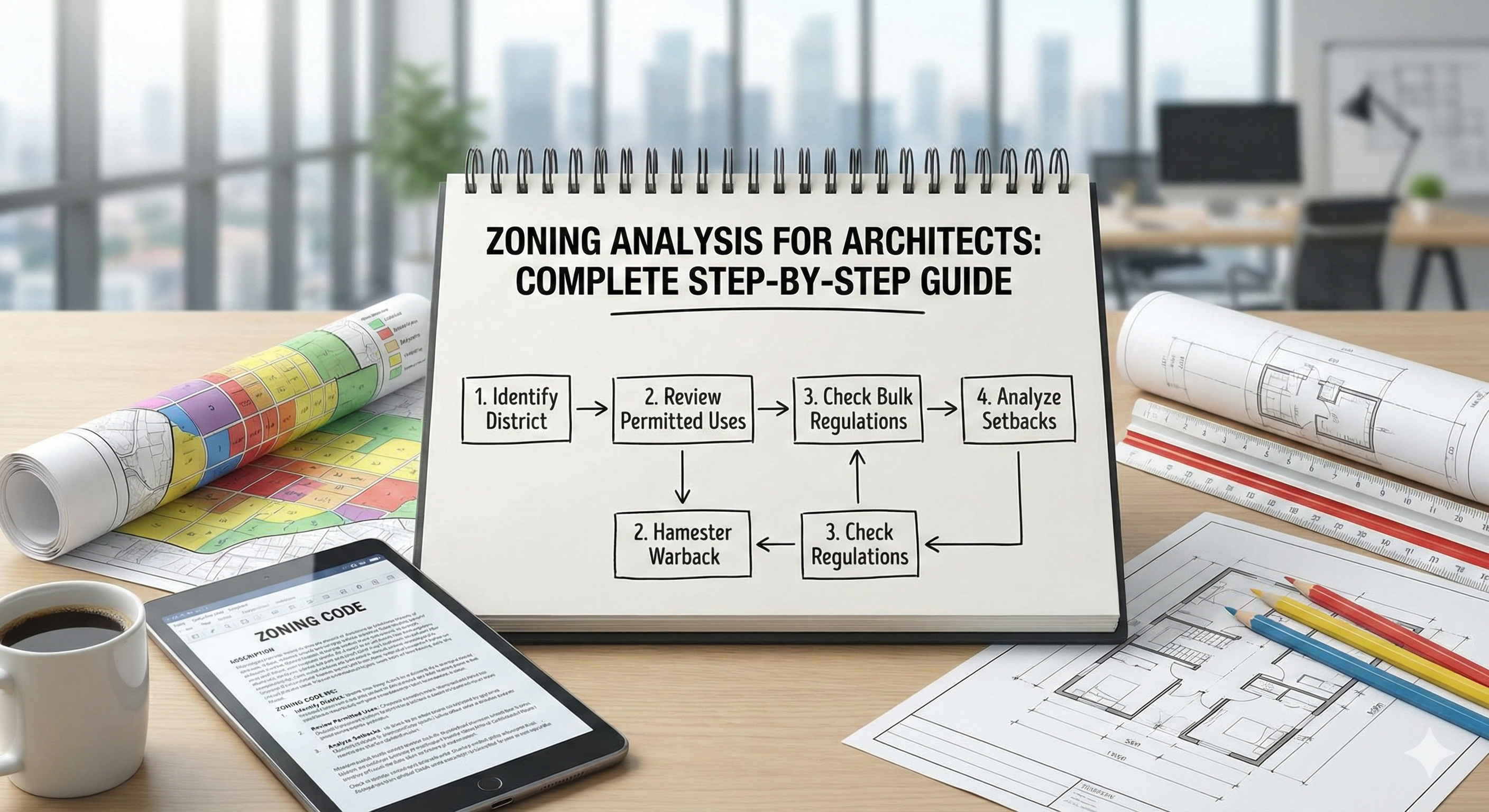
Zoning Analysis for Architects: Complete Step-by-Step Guide
What Is Zoning Analysis?
Zoning analysis is the systematic evaluation of land use regulations that govern what can be built on a site, including building type, size, height, placement, and use.
Every parcel of land in developed areas is assigned a zoning designation (e.g., R-1 Single-Family Residential, C-2 Commercial, M-1 Light Industrial) that dictates:
- Use: What activities are allowed (residential, commercial, industrial, mixed-use)
- Density: How many units or how much floor area per acre
- Height: Maximum building height
- Setbacks: Required distances from property lines
- Lot coverage: Maximum percentage of lot that can be built upon
- Parking: Minimum spaces required
Why it matters: Zoning mistakes are expensive. Designing a 4-story building in a zone that allows only 3 stories means starting over. Missing a required setback can delay permits by months.
Zoning analysis happens first - before schematic design, before site planning, before falling in love with a concept that's illegal.
Understanding Zoning Codes
The Anatomy of a Zoning Designation
Example: R-2B
R = Residential (use category) 2 = Density level (often correlates with lot size or units/acre) B = Sub-zone (additional restrictions or allowances)
Other common prefixes:
- C = Commercial
- M or I = Industrial/Manufacturing
- MU or MX = Mixed-Use
- OS or P = Open Space/Park
- A = Agricultural
- PD = Planned Development
Every city has its own system. San Francisco's RH-2 means something completely different than Chicago's R-2. Always refer to the local zoning ordinance.
Where to Find Zoning Information
1. Municipal Zoning Maps (Online)
Most cities publish zoning maps online:
- Search:
[City Name] zoning map - Look for GIS/mapping portals (e.g.,
city.maps.arcgis.com) - Enter site address to see zoning designation
Example: Los Angeles ZIMAS (zoning.lacity.org)
2. Zoning Ordinance/Code (PDF or Web)
The legal text defining what each zone allows:
- Search:
[City Name] zoning ordinanceormunicipal code - Often 200-500+ pages (searchable PDFs)
- Look for chapter on zoning/land use
3. Planning Department (In-Person or Phone)
When in doubt, call the city:
- Confirm zoning designation
- Ask about recent changes
- Request pre-application meeting (highly recommended!)
4. Property Records (County Assessor)
Shows:
- Lot size (sq ft or acres)
- Existing building size
- Tax classification (may differ from zoning)
Key Zoning Regulations to Analyze
1. Permitted Uses
Primary uses: Allowed by right (no special approval needed) Conditional uses: Allowed with approval (e.g., home office in residential zone) Prohibited uses: Not allowed (e.g., industrial in residential zone)
Example - R-1 Single-Family Residential zone:
- Permitted: Single-family detached house, home garden, garage
- Conditional: Daycare (up to 6 children), accessory dwelling unit (ADU)
- Prohibited: Apartments, retail store, restaurant
Check carefully: Some uses seem obvious but aren't. A "live-work" unit might be prohibited in a residential zone even if you live there.
2. Setbacks
Setbacks are minimum distances between the building and property lines.
Types:
- Front setback: Distance from front property line (usually street-facing)
- Rear setback: Distance from rear property line
- Side setbacks: Distance from left and right property lines (often different for each side)
Example - Residential Lot:
Front setback: 20 feet
Side setbacks: 5 feet (each side)
Rear setback: 15 feet
Why setbacks exist:
- Fire safety: Space between buildings
- Privacy: Prevent windows from directly overlooking neighbors
- Light and air: Ensure buildings don't block all sunlight
- Aesthetics: Create uniform street character (e.g., all houses 20' back from street)
Setback exceptions:
- Porches/decks: Often allowed to encroach 5-10 feet
- Eaves/overhangs: Can overhang setback by 2-3 feet
- Fences/walls: Different setback rules (or none) than buildings
- Accessory structures: Sheds/garages sometimes have different setbacks
Common mistake: Measuring setbacks from the building face, not property line. If your property line is 10 feet from the sidewalk, and the front setback is 20 feet, the building is 30 feet from the sidewalk, not 20.
3. Height Limits
Height limits restrict how tall a building can be, measured:
- From grade (ground level at front of building)
- To highest point (roof peak, not just eave/parapet)
Common standards:
- Residential: 25-35 feet (allows 2-3 stories)
- Commercial: 45-75 feet (4-6 stories)
- Downtown/Urban: 100-300+ feet (towers)
Complications:
- Sloped sites: Which grade counts? (Usually front yard elevation)
- Flat roofs vs. pitched roofs: Some codes measure to parapet; others to midpoint of roof pitch
- Mechanical equipment: Rooftop HVAC may be exempt if screened and under 10 feet tall
Height plane restrictions: Some codes use angled planes instead of flat height limits to reduce shadowing of neighbors:
Example: "Building height may not penetrate a 45-degree plane measured from the property line at 25 feet high."
This forces upper floors to step back, creating wedding-cake profiles.
4. Floor Area Ratio (FAR)
FAR = Total building floor area ÷ Lot area
It controls building mass (not just height or footprint).
Example:
- Lot size: 10,000 sq ft
- Allowed FAR: 0.5
- Maximum building size: 10,000 × 0.5 = 5,000 sq ft total floor area
How FAR affects design:
FAR 0.5 on 10,000 sq ft lot:
- Option A: 5,000 sq ft, one-story building (50% lot coverage)
- Option B: 2,500 sq ft, two-story building (25% lot coverage)
- Option C: 1,667 sq ft, three-story building (16.7% lot coverage)
All legal - same FAR, different building forms.
What counts toward FAR:
- All habitable floor area (living spaces, bedrooms, kitchens)
- Enclosed spaces (hallways, closets)
- Sometimes basements (check local code)
- Sometimes garages (check local code)
- Usually open balconies, porches (unenclosed)
- Mechanical rooms (sometimes exempt)
Trick for maximizing space: If balconies and basements don't count toward FAR, design with both to increase usable space beyond the FAR limit.
5. Lot Coverage
Lot coverage = Building footprint ÷ Lot area (%)
It limits how much of the lot can be covered by buildings.
Example:
- Lot size: 10,000 sq ft
- Maximum lot coverage: 40%
- Maximum footprint: 10,000 × 0.40 = 4,000 sq ft
Lot coverage vs. FAR:
- Lot coverage controls ground-level footprint (prevents paving entire lot)
- FAR controls total building mass (prevents overdevelopment)
Example with both:
- Lot: 10,000 sq ft
- FAR: 0.8 (allows 8,000 sq ft total)
- Lot coverage: 40% (allows 4,000 sq ft footprint)
Result: Maximum building = 4,000 sq ft footprint × 2 stories = 8,000 sq ft (uses full FAR)
You can't build a one-story 8,000 sq ft building (that would be 80% lot coverage, exceeding the 40% limit).
6. Open Space Requirements
Many zones require a percentage of the lot remain undeveloped/landscaped.
Example:
- Lot: 10,000 sq ft
- Required open space: 30%
- Must preserve: 3,000 sq ft of landscaped area (grass, garden, trees)
What counts as open space:
- Lawns, gardens, planting beds
- Patios (pervious paving)
- Decks (sometimes, check code)
- Driveways, parking lots (impervious surfaces)
- Buildings
Why open space matters:
- Stormwater management: Pervious surfaces allow rainwater infiltration
- Heat island reduction: Vegetation cools microclimate
- Aesthetics: Prevents solid walls of buildings
7. Parking Requirements
Zoning codes specify minimum parking spaces based on use.
Typical requirements:
| Use | Parking Required |
|---|---|
| Single-family home | 2 spaces |
| Apartment | 1.5 spaces/unit |
| Office | 1 space / 300 sq ft |
| Restaurant | 1 space / 3 seats |
| Retail | 1 space / 200 sq ft |
Example - 10-unit apartment building:
- Required: 10 units × 1.5 = 15 parking spaces
- Each space: ~180 sq ft (including drive aisle)
- Total parking area: 15 × 180 = 2,700 sq ft
Parking eats valuable land. In urban areas, parking requirements often drive building design more than aesthetics.
Parking reductions/exemptions:
- Transit-oriented development: Near train/bus stations
- Affordable housing: Some cities waive parking minimums
- Bike parking substitution: 5 bike spaces = 1 car space (varies)
- Shared parking: Restaurant (busy at night) + office (busy by day) share spaces
Step-by-Step Zoning Analysis Process
Step 1: Identify Zoning Designation
Tools:
- City zoning map (online GIS portal)
- County assessor website
- Site address search
Example: 123 Elm Street, Portland, OR → Zoning: R2.5 (Residential 2,500 sq ft minimum lot)
Step 2: Obtain Zoning Ordinance
Find the official text:
- Search:
Portland zoning code R2.5 - Download city zoning ordinance PDF
- Navigate to residential zoning chapter
Bookmark key sections:
- Allowed uses
- Setback table
- Height limits
- FAR/lot coverage
- Parking standards
Step 3: Calculate Lot Dimensions
Measure or obtain:
- Lot area (sq ft or acres)
- Frontage (width along street)
- Depth
- Corner lot? (different rules often apply)
Source: Property survey, county assessor, site plan
Example:
- Lot area: 6,250 sq ft
- Frontage: 50 feet
- Depth: 125 feet
- Configuration: Interior lot (not corner)
Step 4: Map Setbacks
Draw site plan showing:
- Property boundary (survey or GIS data)
- Required setbacks (measured from boundary)
- Buildable area (area inside all setbacks)
Example - R2.5 Portland:
- Front: 15 feet
- Sides: 5 feet each
- Rear: 20 feet
Buildable area calculation:
Lot: 50' wide × 125' deep
Buildable zone:
 Width: 50' - 5' (left) - 5' (right) = 40' wide
 Depth: 125' - 15' (front) - 20' (rear) = 90' deep
Buildable area: 40' × 90' = 3,600 sq ft
Buildable area (3,600 sq ft) is your building footprint limit before applying FAR/lot coverage.
Step 5: Calculate FAR and Lot Coverage
From zoning code:
- Maximum FAR: 0.7
- Maximum lot coverage: 50%
Calculations:
FAR limit:
- Lot area: 6,250 sq ft
- Max building size: 6,250 × 0.7 = 4,375 sq ft (total floors)
Lot coverage limit:
- Max footprint: 6,250 × 0.50 = 3,125 sq ft
Design options:
| Footprint | Stories | Total sq ft | FAR Used | Coverage Used | Legal? |
|---|---|---|---|---|---|
| 3,125 sq ft | 1 | 3,125 | 0.50 | 50% | ✅ Yes |
| 2,500 sq ft | 2 | 5,000 | 0.80 | 40% | ❌ Exceeds FAR |
| 2,000 sq ft | 2 | 4,000 | 0.64 | 32% | ✅ Yes |
| 1,750 sq ft | 2 | 3,500 | 0.56 | 28% | ✅ Yes |
Best option: 2,000 sq ft footprint × 2 stories = 4,000 sq ft (uses 64% of allowed FAR, 32% coverage, leaves room for landscaping)
Step 6: Check Height Restrictions
From zoning code:
- Maximum height: 30 feet (measured from front yard grade to highest roof point)
Design implications:
Two-story house:
- First floor ceiling: 9 feet
- Second floor ceiling: 9 feet
- Roof structure/attic: 12 feet
- Total height: 9 + 9 + 12 = 30 feet → ✅ Legal
Three-story house:
- Three floors × 9' = 27 feet
- Roof: 12 feet
- Total: 39 feet → ❌ Exceeds limit
Workarounds:
- Lower ceiling heights (8 feet instead of 9)
- Flat roof (reduces roof height)
- Partially bury first floor (counts as basement, not story)
Step 7: Confirm Parking Requirements
From zoning code:
- Residential: 2 spaces per dwelling unit
For single-family home:
- Required: 2 spaces
- Options: Garage (2-car), driveway, or combination
For duplex (2 units):
- Required: 2 × 2 = 4 spaces
- Each space: 9' × 18' = 162 sq ft
- Plus drive aisle: ~12' wide
- Total parking area: ~1,000 sq ft (eats into buildable area)
Step 8: Identify Overlay Zones
Overlay zones add additional restrictions on top of base zoning:
Common overlays:
- Historic District: Design review required, limits on exterior changes
- Flood Zone: Elevated first floor, flood-proof construction
- Environmental Protection: Wetland buffers, tree preservation
- Hillside: Grading limits, landslide hazard requirements
- Airport: Height restrictions (flight path clearance)
How to find overlays:
- Check zoning map for hatched areas (overlays)
- Search property address in city GIS portal
- Look for abbreviations: HD (Historic), FP (Floodplain), EP (Environmental)
Example: Site in R2.5 + HD (Historic District)
- Base R2.5 rules apply (setbacks, FAR, height)
- Plus: Must match architectural style of district, design review required, can't demolish historic structures
Common Zoning Challenges and Solutions
Challenge 1: Non-Conforming Lot (Too Small)
Problem: Lot is smaller than minimum lot size for the zone.
Example:
- Zoning: R-1 (requires 7,500 sq ft minimum)
- Your lot: 5,000 sq ft
Solutions:
- Grandfathered: If lot existed before zoning law, it's usually legal (non-conforming but buildable)
- Variance: Apply for zoning variance (hardship must be proven)
- Lot consolidation: Combine with adjacent lot to meet minimum
Challenge 2: Setback Conflicts with Solar Orientation
Problem: Best solar orientation (south-facing) conflicts with required setbacks.
Example:
- South property line has 20' setback
- Optimal passive solar design: large south-facing windows
- 20' setback pushes building too far north, losing solar access
Solutions:
- Second-story south wall: First floor respects setback, second floor cantilevers (if allowed)
- Clerestory windows: High south-facing windows bring in light without ground-floor setback issues
- Variance request: Demonstrate that strict setback prevents sustainable design
Challenge 3: Height Limit Too Low for Program
Problem: Need 3 stories to fit program, but zone allows 2 stories max.
Solutions:
- Basement: Partially bury first floor (counts as basement if >50% below grade)
- Loft/mezzanine: Doesn't count as full story if <40% of floor below
- Reduce floor-to-floor heights: 8' ceilings instead of 9'
- Variance or rezoning: Expensive, uncertain, but possible for key projects
Challenge 4: Parking Requirements Impossible on Small Lot
Problem: Required parking takes up entire buildable area.
Example:
- 4-unit apartment building
- Required parking: 4 units × 1.5 = 6 spaces
- Parking area: 6 × 180 sq ft = 1,080 sq ft
- Buildable area: 2,500 sq ft
- Parking takes 43% of buildable area → insufficient space for building + parking
Solutions:
- Tandem parking: Stack spaces (reduces area)
- Mechanical lift parking: Double-stack cars (expensive)
- Off-site parking: Lease nearby spaces (if allowed)
- Parking reduction: Apply for reduction near transit
- Switch to smaller project: 3 units instead of 4 (requires 4.5 → 5 spaces)
Variance and Exceptions
When to Request a Variance
Variance = Permission to deviate from zoning code
When it's granted:
- Hardship: Unique site condition (e.g., odd-shaped lot, steep slope) makes compliance impossible
- Not self-created: Problem existed before you bought property
- Minimal impact: Variance doesn't harm neighbors or public
When it's denied:
- Self-created hardship: You bought a too-small lot knowing the rules
- No unique condition: Every lot on the block faces the same constraint
- Significant impact: Your variance blocks neighbor's light, creates privacy issues
Example of approved variance:
- Lot has 40-foot width; zoning requires 50-foot minimum
- Lot predates zoning law (1920s lot, zoning enacted 1970)
- Variance granted: Can build on undersized lot
Example of denied variance:
- Owner wants 4-story building in 3-story zone for economic reasons
- No hardship (just want more profit)
- Variance denied
Special Permits and Conditional Use
Conditional Use Permit (CUP): Allows use that's not permitted by-right but acceptable with conditions.
Example:
- Home-based business in residential zone
- Allowed if: No employees, no signage, no increase in traffic, limited hours
Process:
- Apply to planning department
- Public hearing (neighbors can comment)
- Conditions imposed (limit impacts)
- Approval with conditions
Zoning Analysis Tools
Traditional Tools
1. Paper Zoning Maps + Ordinance PDFs
- Official source
- Time-consuming to cross-reference
- Hard to visualize overlays
2. City GIS Portals (Online Maps)
- Interactive, searchable by address
- Shows zoning + overlays
- Often includes property dimensions
- May be out of date (check last update)
- Requires internet
3. Municipal Planning Counters
- Staff can clarify ambiguous regulations
- Advance consultation saves costly errors
- Limited hours, long wait times
Modern Tools
UrbanEyes (€4.99-€49/month)
- Automated zoning data retrieval (setbacks, FAR, height)
- Visual buildable area diagrams (shows where you can build)
- Instant FAR and lot coverage calculations
- Combines with solar, topography, context analysis
- Not available in all jurisdictions (check coverage)
ZoningHub / Zoneomics (Free to $$)
- Zoning research platforms
- Code interpretations and examples
- Not comprehensive (limited cities)
Case Study: Duplex Zoning Analysis
Project: Convert single-family home to duplex Location: Seattle, WA Lot: 5,000 sq ft, 50' × 100'
Step 1: Identify Zoning
- Zoning: LR1 (Lowrise Residential 1)
- Allowed uses: Single-family, duplex, townhouse (up to 3 units)
- Duplex is permitted by-right (no conditional use permit needed)
Step 2: Setbacks
- Front: 20 feet
- Sides: 5 feet each
- Rear: 25 feet
- Buildable area: (50-10) × (100-45) = 40' × 55' = 2,200 sq ft
Step 3: FAR and Coverage
- Maximum FAR: 0.75
- Maximum lot coverage: 35%
Calculations:
- Max building size: 5,000 × 0.75 = 3,750 sq ft total
- Max footprint: 5,000 × 0.35 = 1,750 sq ft
Design option:
- Footprint: 1,750 sq ft (fits in buildable area)
- Stories: 3,750 ÷ 1,750 = 2.14 stories → Build 2 full stories = 3,500 sq ft
Step 4: Height Limit
- Maximum: 30 feet
- 2 stories: 9' + 9' + 12' roof = 30' → Legal
Step 5: Parking
- Required: 2 units × 1 space/unit = 2 spaces
- Solution: Side-by-side driveway (2 cars wide) → 18' × 20' = 360 sq ft
Step 6: Open Space
- Required: 30% of lot
- Must preserve: 5,000 × 0.30 = 1,500 sq ft landscaped
Available area:
- Lot: 5,000 sq ft
- Footprint: 1,750 sq ft
- Parking: 360 sq ft
- Remaining: 5,000 - 1,750 - 360 = 2,890 sq ft
Open space: 2,890 sq ft > 1,500 required → ✅ Compliant
Final Design
- Building: 1,750 sq ft footprint × 2 stories = 3,500 sq ft (2 units @ 1,750 sq ft each)
- Parking: Side driveway (2 spaces)
- Landscaping: 2,890 sq ft (58% of lot)
- Complies with: Setbacks, FAR, lot coverage, height, parking, open space
Outcome
- Zoning compliant → No variances needed
- Permit approved in 6 weeks
- Construction completed on schedule
- Both units rented above market rate (spacious 1,750 sq ft units)
Zoning Compliance Checklist
Before finalizing design, verify:
☑️ Use: Proposed use is permitted in this zone ☑️ Lot size: Meets minimum lot area ☑️ Frontage: Meets minimum street frontage ☑️ Setbacks: Building is inside all required setbacks ☑️ Height: Building height ≤ maximum allowed ☑️ FAR: Total floor area ≤ FAR limit ☑️ Lot coverage: Footprint ≤ coverage limit ☑️ Parking: Minimum spaces provided ☑️ Open space: Minimum landscaped area preserved ☑️ Overlays: Compliance with historic, environmental, or other overlays ☑️ Pre-application meeting: Consulted with planning department (highly recommended!)
Conclusion: Know the Rules Before You Design
Zoning analysis isn't glamorous, but it's essential. It defines the boundaries within which you create.
The best designers don't see zoning as a constraint - they see it as a design generator. Setbacks define building placement. Height limits suggest stepping massing. FAR drives decisions about horizontal vs. vertical.
Master zoning analysis, and you'll:
- Avoid costly design revisions
- Speed up permit approvals
- Maximize developable area within legal limits
- Identify variance opportunities early (when there's time to apply)
Start your zoning analysis today:
Automated zoning data retrieval, visual setback diagrams, instant FAR calculations. See your buildable area in 3D. Perfect for architects, developers, and homeowners navigating complex zoning codes.
Related Articles:
- What is Site Analysis in Architecture?
- Site Analysis Diagrams: Complete Guide
- Topography and Grading Analysis
- Urban Context Analysis for Architects
Frequently Asked Questions
What is zoning analysis for architects?
Zoning analysis for architects is the review of local land-use rules that control what you can build: use, FAR or FSI, setbacks, height, coverage, and related overlays. It turns code into design constraints before schematic design.
How do you calculate FAR or FSI?
FAR (or FSI) is typically total buildable floor area divided by site area, using the definitions in the applicable zoning ordinance. Always confirm exclusions (parking, basements, terraces) with the local code, not a generic formula alone.
What setbacks do architects need to check?
Front, side, and rear setbacks, plus any special street, waterfront, or transition setbacks. Measure from the correct property lines and verify corner-lot and through-lot rules.
Can UrbanEyes help with zoning analysis?
UrbanEyes accelerates site context, metrics, maps, and early feasibility framing so you arrive at zoning review with clearer site evidence. Final legal determinations still require the official ordinance and authority confirmation.
How long does zoning analysis take?
A focused first pass can take hours when codes are clear. Complex overlays and variances take longer. Pairing UrbanEyes site intelligence with code review shortens the data-gathering phase.
Is zoning the same as building code?
No. Zoning regulates land use and bulk on the lot. Building codes regulate construction safety, fire, structure, and accessibility of the building itself.
We analyse, you design.
Run data-backed site analysis with UrbanEyes: maps, metrics, and reports in about 15 minutes.